Receive
Check deliveries against purchase orders and record what arrives.


Works with the accounting software you already use
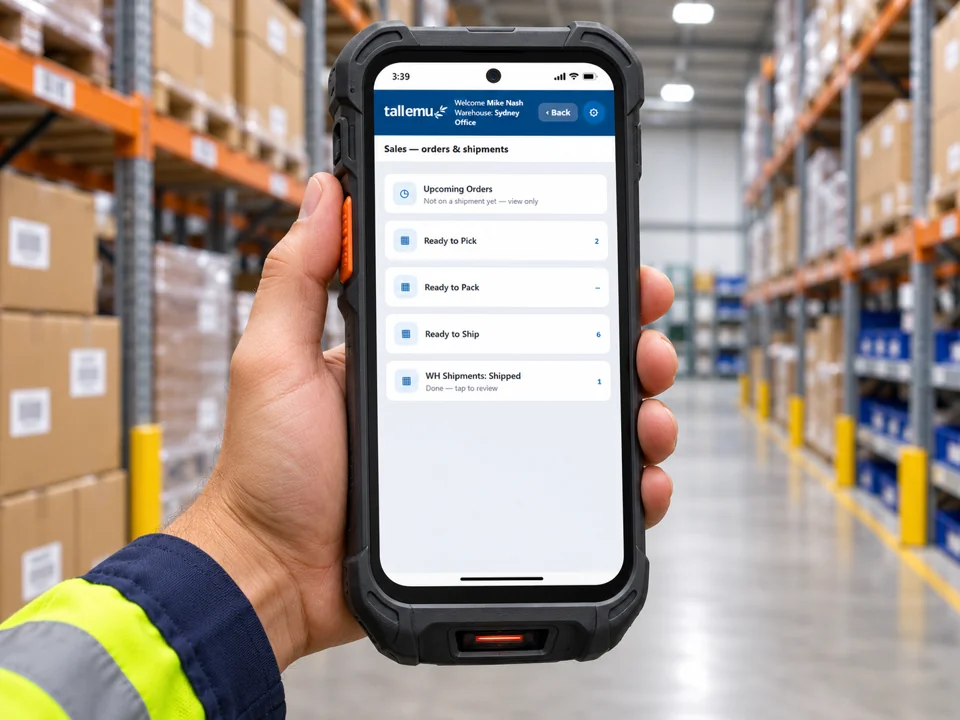
Warehouse Mobile is live
Receive, put away, pick, pack, ship and count stock on supported phones, tablets and rugged devices, using live Tall Emu order and stock data.
Loved by customers
Industry recognised



“We’re not chasing orders through emails anymore. Makes a big difference day to day.”
Check deliveries against purchase orders and record what arrives.
Confirm the destination bay, bin or pallet as you move stock.
Open the live pick queue and scan or confirm items and quantities.
Pack the shipment into cartons or onto pallets.
Create the consignment and print freight labels with Freight Hub.
Receive against expected deliveries, record discrepancies and move stock into its storage location.
Work through live shipment queues, record short picks and pack cartons or pallets for dispatch.
Scan products, pallets or locations to look up stock. Count stock and record transfers on the floor.
Capture serial numbers, batch details and expiry dates on products that require traceability.
Use made-to-order barcodes to identify customer-specific items during warehouse work.
Set scanning rules by location or product and configure the devices and printers your team uses.
Warehouse Mobile uses the sales orders, purchase orders, products, stock and locations already in Tall Emu. When the team records a receipt, pick or shipment, the update goes against the same live records the office uses.
Set controls by warehouse, location and product. Require a location or pallet scan where it helps, and capture serial or batch details where the product needs them.
Record the quantity picked and the shortage against the shipment.
Record what arrived against the purchase order and leave the outstanding quantity open.
Record damage during receiving and route the stock to quarantine when configured.
Record the discrepancy when the delivery includes a product you weren’t expecting.
Dispatch what’s ready and keep the remaining quantities visible on the order.
Look up where stock is held before arranging a transfer or changing where you pick.
Use the camera for occasional barcode scans or pair a Bluetooth scanner for regular work.
Connect a USB scanner at a fixed bench where the stock comes to the operator.
Use a supported handheld with an integrated scanner and physical scan buttons for frequent scanning.
It runs on supported phones, tablets, packing-bench computers and rugged Android devices. See configuration and devices for supported hardware and printer setup.
Yes. The floor works from the same sales orders, stock and locations as the office, so a recorded pick or receipt updates the shared records.
Yes. Counts run on the device against expected quantities, with variances visible before they’re committed.
Tell us how your team receives, picks and dispatches stock. We’ll walk through how those jobs work in Tall Emu.