

Warehouse Mobile
Pick, pack and ship without breaking the order into three systems.
Work from live queues, scan stock, capture exceptions, pack packages and dispatch through Freight Hub.
Separate picking, packing and shipping queues
Warehouse staff see the work that is ready for their stage rather than searching through every order.
- Open orders ready to pick
- Picked shipments ready to pack
- Packed shipments ready for freight and dispatch
- Completed shipments available for review
- Backordered or short-picked work kept visible
Pick the order
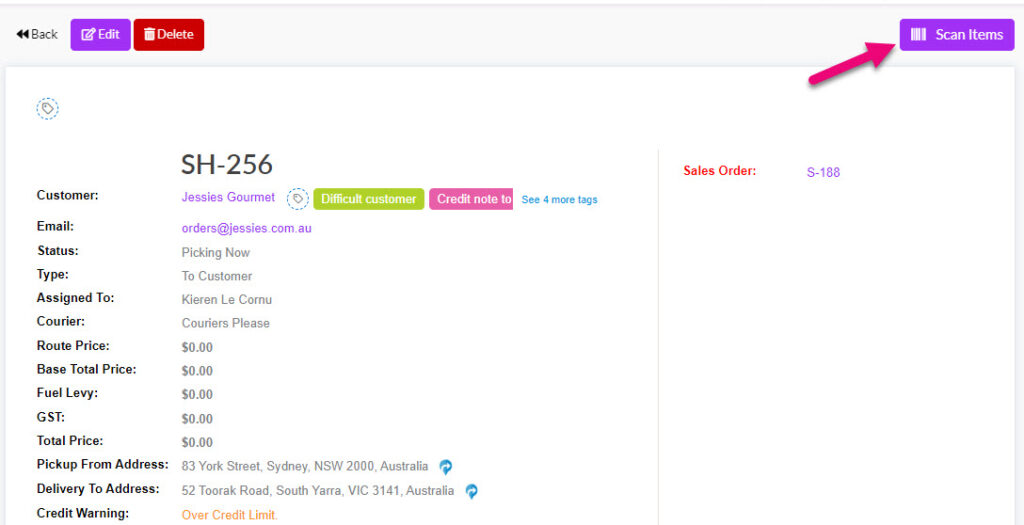
- Scan the shipment or choose it from the queue
- Lock active work to a picker so two people don’t unknowingly work the same shipment
- Resume a held or partially picked shipment
- Scan the bay or pallet first when the warehouse requires location confirmation
- Show all available locations and quantities for each item
- Scan the item and update picked quantity
- Keep completed and unresolved lines visually separate
- Show which operator picked each line
Handle real warehouse exceptions
The app doesn’t pretend every pick is perfect.
- Part-pick a line
- Record that the warehouse can’t pick the remaining quantity
- Record that the business has decided not to pick the remaining quantity
- Capture a structured reason and optional note
- Hold the shipment to finish later
- Part-ship what has been picked
- Leave the remaining commercial order quantity for Tall Emu to manage
Capture serials, batches and measured products
- Scan one serial number for each individual unit
- Require preselected serials where a particular unit has been allocated
- Allow or prevent serial substitution according to configuration
- Capture a replacement serial as an explicit override
- Pick a quantity across more than one batch
- Show batch and location availability
- Capture one serialised roll or reel together with the measured cut length
Pack the shipment
Packing can be kept simple or used to record detailed package contents.
- Add standard carton types
- Add a shipping pallet with its own identifier
- Add a loose item that ships without a carton
- Record or adjust package weight
- Photograph each package
- Optionally choose a package and scan products into it
- See which products and quantities are in each package
- Review what was picked before confirming the pack
Create freight and dispatch
- Request available carrier and service options through Freight Hub
- Compare service, delivery estimate and price
- Create the consignment
- Print the required freight labels
- Store the connote against the shipment
- Use a manual courier and connote workflow when integrated freight isn’t enabled
Move from open order to dispatched shipment in one connected flow
Picking, packing and freight all stay attached to the same Tall Emu order.
Prefer to talk? Call 02 9299 9959 or talk to a real person.