Review the offer
See products, images, scope, options, prices, freight and payment details in one place.


Online quote acceptance
Let customers review, ask questions, accept your terms, sign and pay online. Then move the accepted quote into the next step without typing it again.
A quote shouldn’t come back as a printed, signed and scanned attachment. Send a branded online quote the customer can open on a phone or computer and act on straight away.
See products, images, scope, options, prices, freight and payment details in one place.
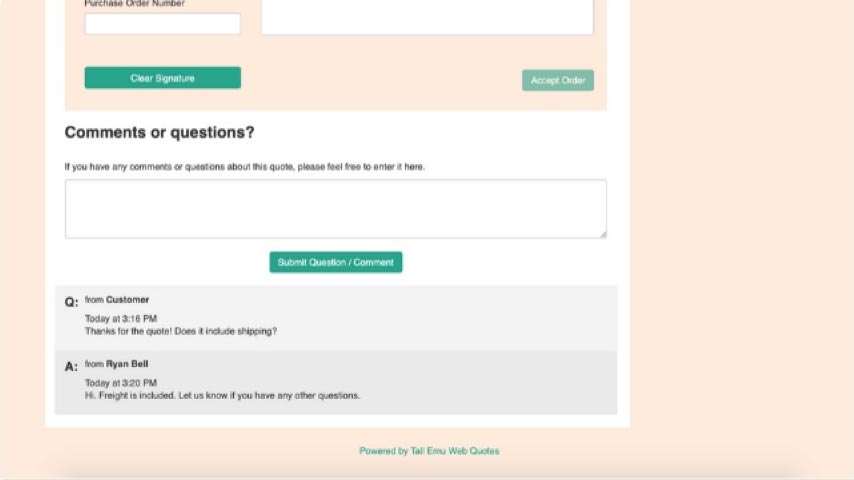
Add a question or comment against the quote. The reply stays with the quote instead of being lost in a separate email chain.
The terms form part of the online quote. The customer can accept and add their signature, which is saved against the quote.
Accept without paying, pay a deposit, pay in full or continue on the customer’s normal account terms.
The accepted quote is the start of the transaction, not a dead-end document. Tall Emu can create the sales order and invoice automatically, then link the payment when the customer pays online.
For a simple sale, the order, invoice and payment can be created in one flow. For a larger sale, the accepted quote can stop for a review, credit check, project setup or production planning before the next records are created.
Mark the quote accepted, lock it, notify the owner and let the team check the next step before creating the order.
Create the sales order and invoice automatically. When the customer pays online, create and link the payment as well.
Use different online quote templates for different brands, divisions or sales. Each can have its own logo, colours, layout and terms, and the customer-facing quote can use your own domain.
Make it easy for the customer to accept, sign and pay, then let the same quote start the order and work.
Prefer to talk? Call 02 9299 9959 or talk to a real person.