How much are we quoting?
Track quote count and value by day, month, salesperson, team, customer or type of sale.


Quote and sales reporting
Turn quote and sales data into clear reports, dashboards and targets for the team.
Accounting reports tell you what was invoiced. Sales reports should also show what was quoted, what was accepted, what was lost and what may close next.
Because Tall Emu keeps the customer, quote, products, margin, activity and final order together, you can report on the whole sales process instead of only the end result.
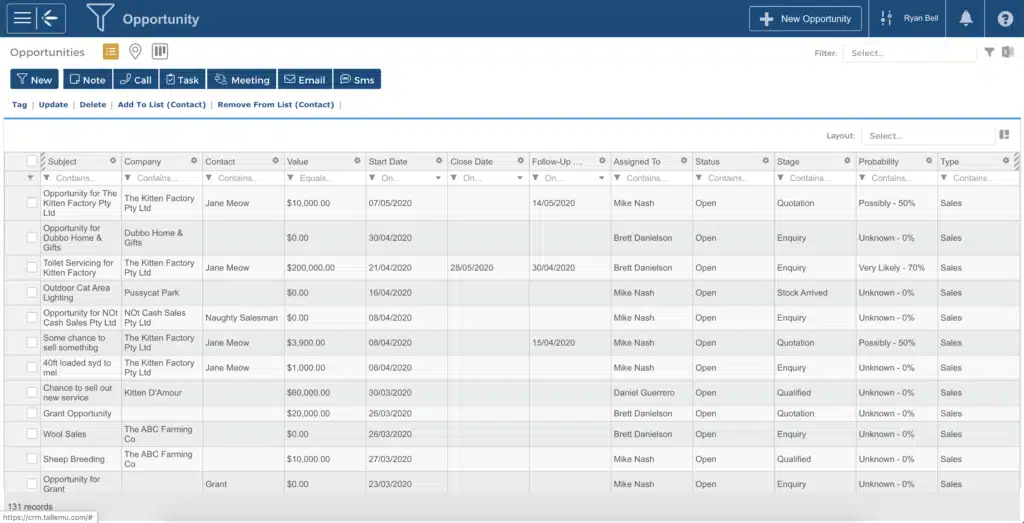
Track quote count and value by day, month, salesperson, team, customer or type of sale.
Compare sent, accepted, won, lost, replaced and expired quotes.
See pipeline value by stage, age, expected close date and last activity.
Report on expected revenue, cost and margin by quote, product, salesperson or customer.
Find quotes and Opportunities with overdue tasks, no next action or no recent contact.
Set quote and sales targets, then compare actual results with the goal.
Use ready-made reports and dashboards for the common questions. Filter, group and save the view your team needs. Build more detailed reports when the business has a more specific question.
Dashboards bring the main numbers together so salespeople can focus on their work and managers can see where help is needed.
A useful sales report shouldn’t just describe last month. It should help the team see which quote needs a call, which pipeline stage is blocked and where the next sale is likely to come from.
Common questions
Yes. Track quote count and value by period, salesperson, team, customer or type of sale.
Yes. Compare sent, accepted, won, lost, replaced and expired quotes.
Yes. Surface quotes and opportunities with overdue tasks, no next action or no recent contact.
Yes. Report on expected revenue, cost and margin by quote, product, salesperson or customer.
Yes. Use status, age, activity and next-action information to find quotes and opportunities that are not moving.
Track quotes, pipeline, margin, follow-up and targets in the same system that runs the sale.
Prefer to talk? Call 02 9299 9959 or talk to a real person.